Introduction

DSpace can backup and restore all of its contents as a set of AIP Files. This includes all Communities, Collections, Items, Groups, and People in the system. In today's session, we will delve into DSpace AIP, exploring its importance, components, and the role it plays in backup, restore, and disaster recovery.

What are AIP (Archival Information Packages)?

AIPs are Archival Information Packages. An AIP is a package describing one archival object in DSpace. Generally speaking, an AIP is a Zip file containing all related content bitstreams. The archival object may be a single Item, Collection, Community, or Entire DSpace Site.

Advantages of AIP

AIP makes it possible to backup local DSpace contents into the cloud (DuraCloud, Amazon S3, Glacier, and Chronopolis) and "restore" those contents at a later time.

Allows one to more easily move entire Communities or Collections between DSpace instances

Provides a way for people to more easily get their data out of DSpace (whatever the purpose may be).

Provides a relatively standard format for people to migrate entire hierarchies (Communities/Collections) from one DSpace to another.

Understanding DSpace Handle

In DSpace, the site handle is an important identifier used to create unique and persistent URLs for items in the repository. It is made up of two components, namely prefix and suffix.

E.g., From this handle https://ir.oauife.edu.ng/handle/123456789/529

- 123456789 is called site-handle-prefix> and

- 529 is called site-handle-suffix.

Practical Examples

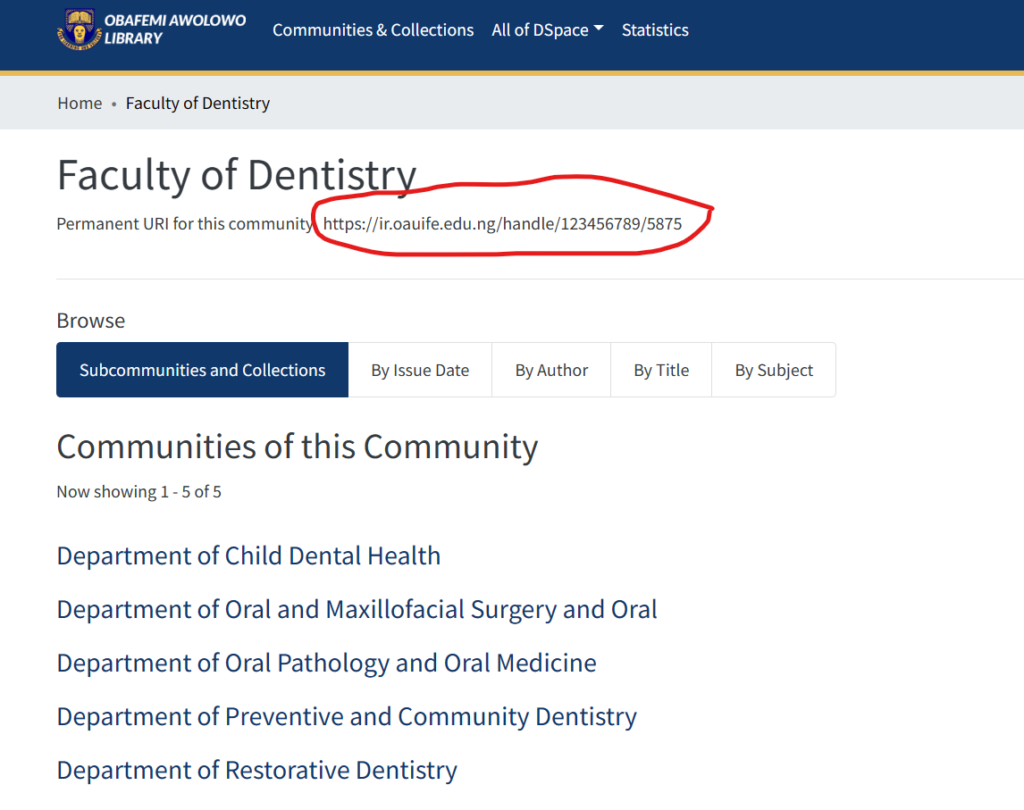
OAU IR Example (DSpace 7): https://ir.oauife.edu.ng/handle/123456789/5875, the handle here is 123456789/5875, site-handle-prefix is 123456789, and site-handle-suffix is 5875, which is for the Faculty of Dentistry Community as shown below

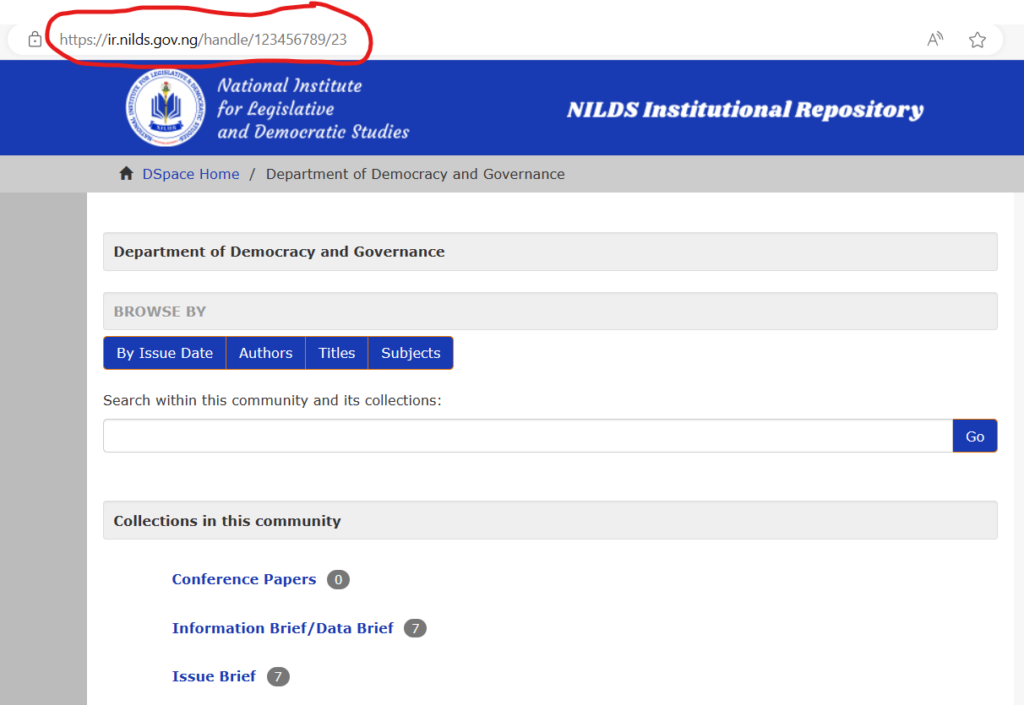
NILD IR Example (DSpace 6): https://ir.nilds.gov.ng/handle/123456789/23, the handle here is 123456789/23, site-handle-prefix is 123456789, and site-handle-suffix is 23, which is for the Department of Democracy and Governance Community as shown below

Exporting AIP Hierarchy

To export AIP Hierarchy, use this "packager" command template:

				
					# [dspace]/bin/dspace packager -d -a -t AIP -e <eperson> -i <handle> <file-path>


AIP command template parameters explained:

Exporting Entire DSpace Site

				
					[dspace]/bin/dspace packager -d -a -t AIP -e <eperson> -i site-handle-prefix/0 <file-path>


Practical Example

To export the entire OAU DSpace as an AIP with the following AIP command parameters:

- [DSpace]: DSpace installation source is /opt/dspace/server

- eperson is ir@oauife.edu.ng

- site-handle-prefix is 123456789

- file-path is OAU-aip.zip

Run this command from the DSpace installation source command-line interface:

				
					# /opt/dspace/server/bin/dspace packager -d -a -t AIP -e ir@oauife.edu.ng -i 123456789/0 OAU-aip.zip


Exporting a Community Hierarchy

To export a Community Hierarchy, follow the example above and replace the handle with the community handle. E.g., to export the community of Administration collection of OAU DSpace from this link https://ir.oauife.edu.ng/handle/123456789/529, execute the following command:

				
					/opt/dspace/server/bin/dspace packager -d -a -t AIP ir@oauife.edu.ng -i 123456789/529 Faculty-of-admin-aip.zip


Conclusion

Today, we covered the introduction to DSpace AIP, Advantages of AIP, Understanding DSpace handle, Exporting AIP Hierarchy, Exporting Entire DSpace Site, and Exporting a Community Hierarchy. Next week we shall continue and consider:

- Importing AIP Hierarchy command

- Importing Entire DSpace site

- Importing Community Hierarchy

Post a comment

Your email address will not be published.

Related Posts